Speakies Explainer Maker1.2
Publisher Description
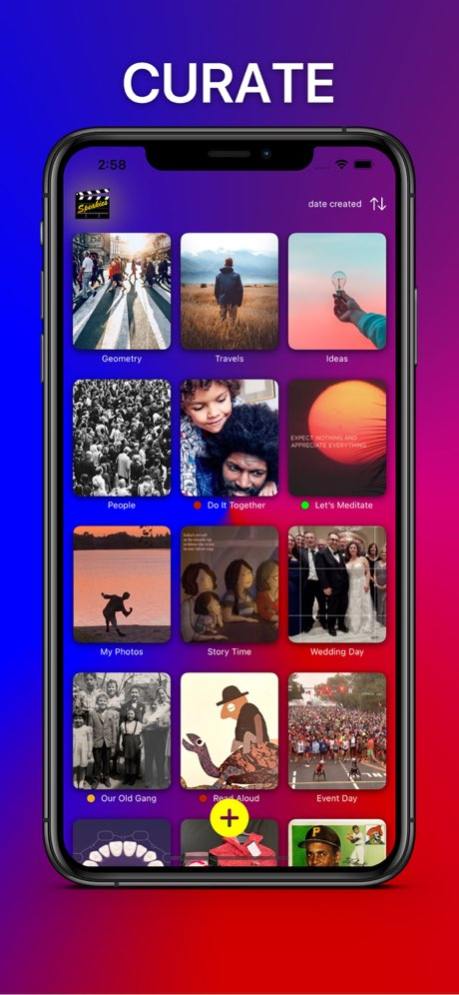

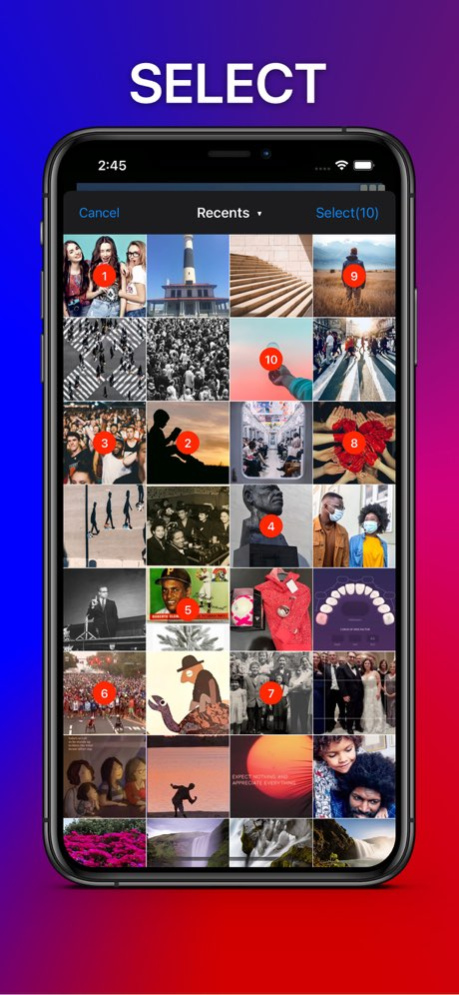

Do you sometimes need to explain something to others, and you know the ideal way is make an explainer video - then you think of spending all that time and effort - and so you decide not to do it?
With Speakies Explainer Maker, doing that is a breeze. This app is the most easy, versatile, and nimble way to create effective video explainers with voiceover. In fact, some call it magical -
1- snap some pics and import them from Photos app!
2- record something about each picture!
3 - tap Generate Video and Speakies does the rest!
Your explainers are unique, expert, and compelling. Who else can explain your product better than you?
Speakies app makes it really simple to create explainers in the moment as you need them. You can create right on your own mobile device, whether online or off, and your product always looks and feels right. No sign in, no cloud servers, no spinning wheels. And no video editing experience required. Speakies adapt to any size and format so they look right out of the box.
How is Speakies different from other video editing platforms? Rather than requiring a continuous narration, it enables you to add voiceover to each individual picture. Then you can easily tweak it, redo it, or edit it - and with a tap you can generate a single great video explainer.
Speakies is the quickest way for busy people to produce explainers on the fly - app makers, teachers, laborers, marketers, doctors - anyone who wants to get things done and not have to repeat themselves. No need to fuss or spend hours with complicated video platforms.. Speakies has all the tools you need at hand whenever life takes you.
Version History • new name
• fix background bug
• fix caption bug
• improved UI 1.2 08/14/2025 • Reduced frame rate for smaller file size
• Corrected blurred images in generated video
• Fixed audio cut off when posted to social
• Added What's New overlay screen
• Please send feedback our way 1.1 03/05/2022 1.0 12/22/2021
About Speakies Explainer Maker
The company that develops Speakies Explainer Maker is HEALTHBOOK LLC. The latest version released by its developer is 1.2.
To install Speakies Explainer Maker on your iOS device, just click the green Continue To App button above to start the installation process. The app is listed on our website since 2026-10-15 and was downloaded 1 times. We have already checked if the download link is safe, however for your own protection we recommend that you scan the downloaded app with your antivirus. Your antivirus may detect the Speakies Explainer Maker as malware if the download link is broken.
How to install Speakies Explainer Maker on your iOS device:
- Click on the Continue To App button on our website. This will redirect you to the App Store.
- Once the Speakies Explainer Maker is shown in the iTunes listing of your iOS device, you can start its download and installation. Tap on the GET button to the right of the app to start downloading it.
- If you are not logged-in the iOS appstore app, you'll be prompted for your your Apple ID and/or password.
- After Speakies Explainer Maker is downloaded, you'll see an INSTALL button to the right. Tap on it to start the actual installation of the iOS app.
- Once installation is finished you can tap on the OPEN button to start it. Its icon will also be added to your device home screen.
Program Details
System requirements
Download information
Pricing
Version History
version 1.2
posted on 2026-10-15
Version History • new name
• fix background bug
• fix caption bug
• improved UI 1.2 08/14/2025 • Reduced frame rate for smaller file size
• Corrected blurred images in generated video
• Fixed audio cut off when posted to social
• Added What's New overlay screen
• Please send feedback our way 1.1 03/05/2022 1.0 12/22/2021
version 1.2
posted on 2025-08-14
Aug 14, 2025
Version 1.2
• new name
• fix background bug
• fix caption bug
• improved UI
version 1.2
posted on 2025-08-14
• new name
• fix background bug
• fix caption bug
• improved UI
version 1.1
posted on 2022-03-05
Mar 5, 2022
Version 1.1
• Reduced frame rate for smaller file size
• Corrected blurred images in generated video
• Fixed audio cut off when posted to social
• Added What's New overlay screen
• Please send feedback our way
